Game Builder Garage is one of Nintendo’s most approachable introductions to game creation. Instead of asking players to simply complete someone else’s levels, it gives them the tools to understand how games work and build interactive projects of their own.
Released for Nintendo Switch in 2021, the software combines guided programming lessons with a free-form creation mode. Its biggest idea is simple: learn by making.
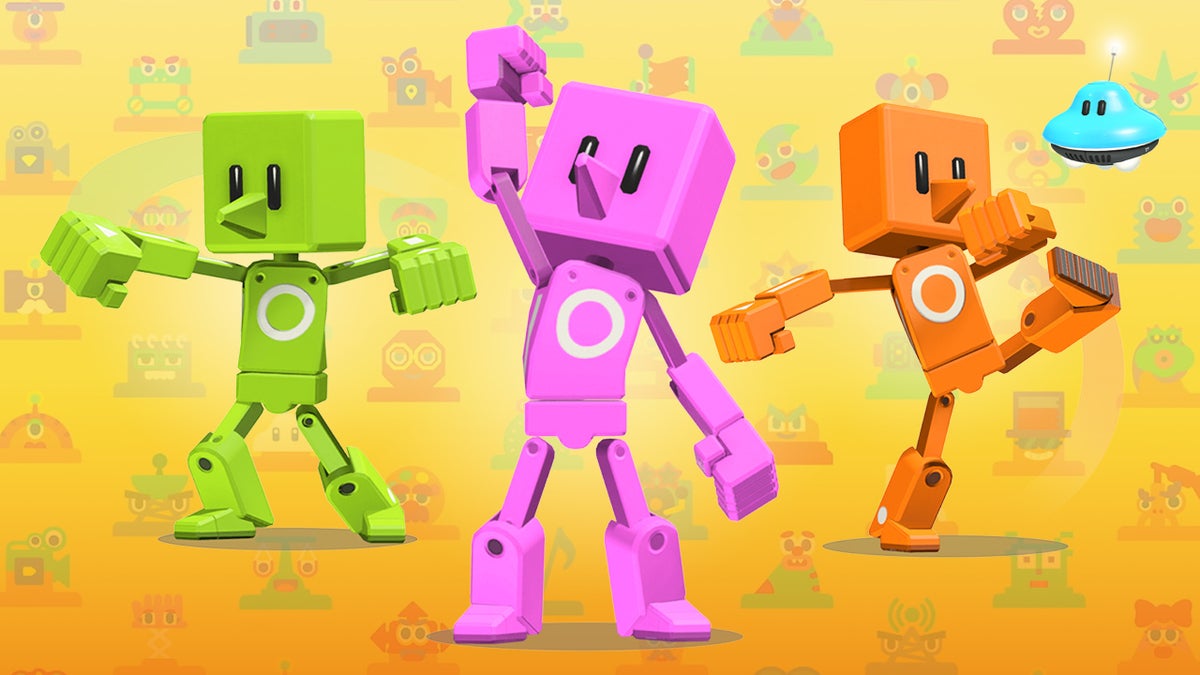
You don’t need previous programming experience to get started. Nintendo uses colorful characters called Nodon to represent programming functions, allowing users to connect visual blocks and see how their decisions change a game’s behavior.
That makes Game Builder Garage useful for more than entertainment. It can introduce concepts such as logic, inputs, conditions, timing, movement, and game-state changes in a way that feels closer to playing than studying.
What Is Game Builder Garage?
Game Builder Garage is a Nintendo Switch game-development and programming tool created by Nintendo. It launched on June 11, 2021, and is designed primarily to teach beginners how to create simple games through visual programming.
Instead of typing lines of traditional code, players connect Nodons together.
Each Nodon has a particular purpose. Depending on the type, it can represent things such as:
- Buttons and other controls
- Characters and objects
- Movement
- Numbers and calculations
- Logic
- Timers
- Sound
- Cameras
- Game events
Connecting these elements creates relationships between actions and results.
For example, you can tell the game that pressing a button should make a character move. From there, you can add conditions, sounds, enemies, scoring systems, or other interactions.
This makes the software a useful bridge between playing games and understanding game development.
How the Nodon System Works
The Nodon system is the foundation of Game Builder Garage.
Think of Nodons as small programming components. Instead of writing:
“When the player presses a button, move the character.”
you construct that relationship visually by connecting the appropriate Nodons.
This approach removes much of the intimidating syntax associated with conventional programming.
Why Visual Programming Helps Beginners
Traditional programming can be difficult for newcomers because a small spelling or syntax mistake can prevent an entire program from working.
Game Builder Garage approaches the problem differently.
You can see the relationships between different elements directly on screen. When something doesn’t behave as expected, you can examine the connections and experiment with them.
That encourages an important programming habit:
Build → test → identify the problem → change the logic → test again.
The habit is arguably more valuable than memorizing individual commands.
Guided Lessons Teach the Fundamentals
One of the strongest parts of Game Builder Garage is its collection of guided lessons.
Rather than dropping a completely blank project in front of a beginner, Nintendo introduces programming concepts gradually.
The lessons involve creating games while explaining how their underlying systems work. Players learn by interacting with the programming environment instead of reading a long technical manual.
This approach is particularly useful for younger users because the learning process has an immediate payoff: you’re not just learning what a programming concept means; you’re using it to make something playable.
What You Can Learn
Depending on the lesson and project, users encounter ideas involving:
- Player input
- Object movement
- Conditions
- Counters and numbers
- Timing
- Collision and interaction
- Camera behavior
- Sound
- Game rules
- Visual effects
These are fundamental ideas that appear in much more sophisticated game engines.
Game Builder Garage doesn’t attempt to replace professional development software. Its strength is making these underlying ideas easier to understand.
Free Programming Opens Up More Creativity
Once you’ve learned the basics, Free Programming gives you considerably more freedom.
This is where Game Builder Garage becomes less like a tutorial and more like a personal game-design laboratory.
You can start with an idea and figure out how to construct it using the available Nodons.
Possible projects include:
- Platform games
- Racing-style games
- Puzzle experiences
- Shooting challenges
- Sports-inspired games
- Exploration projects
- Mini-games
- Experimental interactive creations
The important part isn’t whether your first project is impressive.
It’s the process of figuring out how to make an idea actually work.
From an Idea to a Playable Game
A useful way to approach Game Builder Garage is to break game development into small systems.
Imagine you want to create a simple platformer.
You might need:
- A player character.
- A method of controlling movement.
- Platforms to stand on.
- A camera that follows the player.
- A goal or finish condition.
- Hazards or enemies.
- A way to determine whether the player wins or loses.
Instead of trying to build everything simultaneously, create one system at a time.
First make the character move.
Then test jumping.
Then add platforms.
Then add the goal.
This approach makes debugging much easier and mirrors the workflow used in more advanced development environments.
Game Builder Garage Is About Logic, Not Just Coding
A common misconception is that programming is primarily about writing code.
Game Builder Garage demonstrates something more fundamental: programming is about relationships and logic.
For example:
Input → Condition → Action
A player presses a button.
The game checks whether a condition is true.
An action happens.
That basic pattern appears everywhere in games.
A door opens when a key is collected. A score increases when an enemy is defeated. A timer reaches zero and the player loses. A character touches an object and triggers an event.
Game Builder Garage allows beginners to experiment with these concepts visually.
The Educational Value of Game Builder Garage
Game Builder Garage can be particularly useful as an introduction to computational thinking.
Players have to think about:
- What should happen?
- When should it happen?
- What causes the event?
- What happens if the condition isn’t met?
- What information needs to be remembered?
- How should different systems interact?
Those questions encourage structured problem solving.
The experience can therefore be valuable even if a player never becomes a professional game developer.
The ability to break a complicated problem into smaller components is useful in programming, mathematics, engineering, design, and many other areas.
Sharing Games With Other Players
Creating something is only half the fun.
Game Builder Garage also lets players share their creations using Game IDs and Programmer IDs.
A creator can provide a code to another player, who can then access the shared project.
This creates an interesting form of community interaction.
One person can build a game, another can play it, and both can discuss how the systems were constructed.
However, the sharing system isn’t equivalent to having a large built-in social marketplace for games. Players generally need to obtain codes through other channels, which can make discovering new creations less convenient than in platforms designed specifically around community content.
That limitation is worth understanding before buying the software primarily for browsing other people’s projects.
Can You Make Professional Games With It?
Not really—and that’s not its purpose.
Game Builder Garage is designed around accessibility and learning rather than professional-scale development.
It doesn’t provide the enormous toolsets found in professional engines such as advanced 3D pipelines, extensive asset-management systems, sophisticated animation workflows, or large-scale programming environments.
Instead, think of it as a creative introduction to game development.
Its value comes from helping you understand the concepts behind interactive software.
Someone who enjoys Game Builder Garage may eventually become interested in more advanced tools, but the Switch software doesn’t need to compete with them.
Game Builder Garage vs Traditional Coding
The biggest difference is the interface.
Traditional programming
You generally write instructions using a programming language and must understand its syntax.
Game Builder Garage
You construct logic visually by connecting Nodons.
That makes Game Builder Garage easier to approach, but it also means the experience is more constrained.
If you’re completely new to programming, the visual approach can be an excellent starting point.
If you already know languages such as Python, JavaScript, C#, or C++, you may find Game Builder Garage intentionally simplified.
Both approaches teach useful concepts, but they serve different purposes.
Practical Tips for New Creators
If you’re starting your first project, don’t immediately attempt to build a huge adventure game.
Start small.
1. Build one mechanic first
Make a character move before adding enemies, levels, menus, and scoring.
2. Test constantly
Don’t build 20 systems and then discover that the foundation doesn’t work.
Test after every significant change.
3. Keep your logic organized
As projects become more complicated, connections can become difficult to follow.
Clear organization makes troubleshooting easier.
4. Change one thing at a time
If something breaks, changing five different connections simultaneously makes it difficult to identify the cause.
5. Start from the lessons
The guided lessons aren’t something you need to rush through.
They demonstrate techniques that can later be adapted to your own projects.
6. Rebuild an idea from scratch
After completing a lesson, try recreating a similar mechanic without following the instructions.
This is an excellent way to check whether you’ve actually understood the concept.
Common Mistakes Beginners Make
Game Builder Garage is accessible, but beginners can still run into frustrating problems.
Trying to build too much
A massive first project can quickly become difficult to manage.
A tiny game that works is more useful than a huge game that never gets finished.
Copying without understanding
Following a tutorial step by step can produce a working result, but understanding why each connection exists is more valuable.
Ignoring testing
When a game becomes complicated, testing every component individually can save considerable time.
Focusing only on appearance
A visually interesting project isn’t necessarily a well-designed game.
Gameplay logic should come first. Presentation can come later.
What Makes Game Builder Garage Different?
Nintendo could have created a simple coding application and stopped there.
Instead, Game Builder Garage makes programming itself part of the play experience.
That’s the clever part.
The interface has personality. The lessons are interactive. The results are immediate. You can experiment without worrying about damaging a computer or installing complicated development tools.
The Nintendo Switch therefore becomes more than a console for playing games.
For beginners, it can become a small creative laboratory.
Is Game Builder Garage Good for Kids?
For children interested in how games work, it can be a particularly approachable introduction.
The visual interface removes much of the intimidation associated with traditional programming, while the game-based lessons provide a clear reason to learn each concept.
Parents and educators should still consider the child’s age, reading ability, patience, and interest in problem solving. Game Builder Garage isn’t simply a game that plays itself; much of the enjoyment comes from experimenting and figuring things out.
For a child who enjoys building, puzzles, or understanding how things work, that can be a major advantage.
Is Game Builder Garage Still Worth Playing?
Even several years after its original release, the concept remains appealing because the core idea hasn’t become outdated.
Game development still depends on logic, experimentation, systems, and iteration.
What has changed is the player’s expectations.
Someone looking for a modern professional game engine will quickly encounter limitations. But someone looking for an approachable way to understand the foundations of game creation may find exactly what they need.
The software works best when viewed as an educational creative tool rather than a conventional Nintendo game.
FAQ
What is Game Builder Garage?
Game Builder Garage is a Nintendo Switch game-development tool that teaches users how to create interactive games using visual programming. Players connect functional components called Nodons to control movement, logic, sound, objects, and other game systems. It includes guided lessons as well as a Free Programming mode.
Is Game Builder Garage good for learning programming?
Yes, especially for beginners. It doesn’t teach a conventional programming language, but it introduces important concepts such as logic, conditions, inputs, outputs, timing, and system relationships. These fundamentals can provide a useful foundation before moving to traditional coding.
Can you make your own games in Game Builder Garage?
Yes. Free Programming allows players to design their own interactive projects using the available Nodons and tools. The complexity of a project depends on how creatively the available systems are combined.
Can you share Game Builder Garage games?
Yes. Players can share creations using Game IDs and Programmer IDs. However, Game Builder Garage does not function like a large built-in game marketplace, so finding interesting community projects may require obtaining codes through external communities.
Is Game Builder Garage suitable for beginners?
Absolutely. Its guided lessons are specifically designed to introduce the fundamentals gradually. You don’t need prior programming experience to start, although patience and willingness to experiment make the learning process much easier.
Conclusion
Game Builder Garage occupies an unusual but valuable space on Nintendo Switch. It isn’t simply a game, and it isn’t intended to be a professional game engine. Instead, it sits between the two: a playful environment where users can discover how interactive experiences are designed.
Its Nodon-based visual programming system makes abstract programming concepts easier to understand, while the guided lessons provide structure for beginners. Once those fundamentals become familiar, Free Programming offers enough flexibility to encourage genuine experimentation.
The most valuable lesson may be the simplest one: games are built from systems that work together.
When a player learns how movement, input, logic, sound, objects, and conditions interact, they aren’t merely making a small Switch game. They’re beginning to understand the thinking process behind game development.
For curious beginners, creative kids, families, and aspiring developers, that makes Game Builder Garage a surprisingly meaningful addition to the Nintendo Switch library.