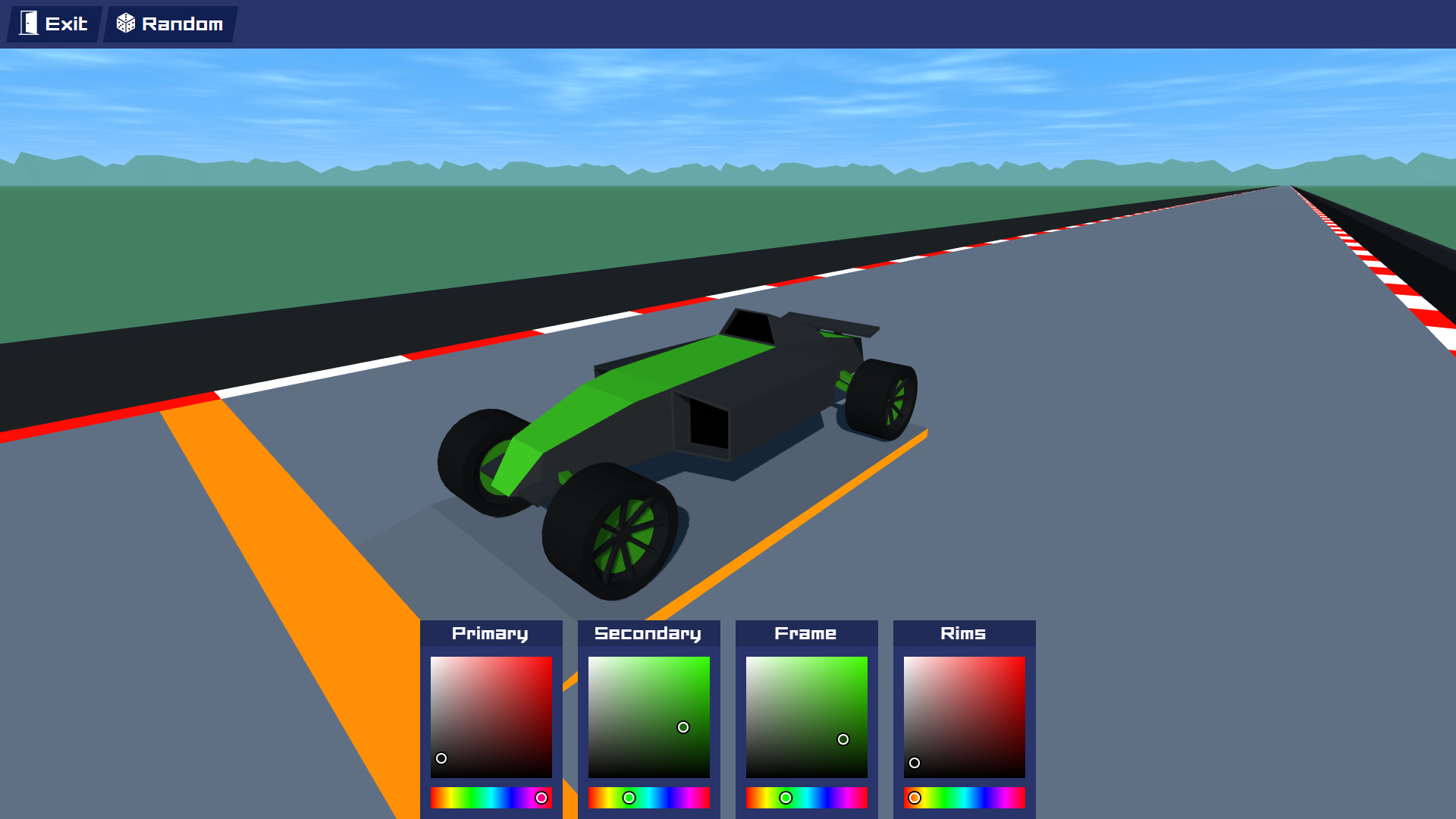
Browser games have a special advantage: they can turn a few spare minutes into a complete gaming session without a large installation or complicated setup. PolyTrack fits neatly into that category. It combines fast racing, sharp turns, jumps, and lightweight 3D visuals into an experience that is easy to understand but surprisingly difficult to master.
That simplicity also explains why players frequently search for Polytrack unblocked. On school or workplace networks, gaming websites may be restricted, while browser compatibility, filtering systems, or device policies can create additional access problems. However, “unblocked” does not necessarily mean that a website is official, safe, or permitted on a particular network.
This updated guide focuses on what players actually need to know: what PolyTrack is, how its racing mechanics work, why it may be inaccessible, how to troubleshoot legitimate browser problems, and how to improve your driving technique. It also separates genuine gameplay issues from network restrictions, so you do not waste time trying to fix the wrong problem.
What Is PolyTrack?
PolyTrack is a browser-based racing game built around fast driving on tracks featuring sharp corners, ramps, elevation changes, and other challenges.
Its visual style is deliberately simple. Rather than attempting photorealistic cars and environments, it uses geometric shapes and a clean 3D presentation.
That approach has several advantages:
- The game is visually distinctive.
- Tracks are easy to read at high speed.
- The overall experience remains relatively lightweight.
- Players can concentrate on driving rather than complex menus or storylines.
The central challenge is straightforward: complete the track as efficiently as possible while maintaining control of the vehicle.
That sounds easy until the track starts demanding precise braking, steering, acceleration, and timing.
What Does “Polytrack Unblocked” Mean?
The phrase Polytrack unblocked generally refers to a version or website through which players can access the game when a particular network blocks gaming websites.
It is important to understand that “unblocked” is not necessarily a separate official edition of PolyTrack.
Depending on the website, the term may refer to:
- A browser page embedding the game
- A mirror or alternative hosting page
- A school-game portal
- A rehosted version
- A site that happens not to be blocked by a particular network
Because these sites are operated by different parties, their reliability can vary.
A page that loads successfully is not automatically an official or trustworthy source.
Why Is PolyTrack Blocked at School or Work?
If PolyTrack works at home but not on a school Chromebook, the game itself may not be the problem.
Schools, universities, libraries, and workplaces can use filtering systems to restrict categories of websites. Gaming is a common category because organizations may want to reduce distractions or preserve network resources.
A managed Chromebook can also have administrator-controlled settings that are independent of your personal Chrome preferences.
This creates two very different situations.
Network restriction
You see a message indicating that the website has been blocked by an administrator or network policy.
In this case, the restriction is intentional.
Technical problem
The site is allowed to load, but the game crashes, freezes, shows a blank screen, or does not respond correctly.
That is a browser or game-performance issue and can often be investigated through ordinary troubleshooting.
Knowing which situation you have is the first step toward solving the problem.
How PolyTrack Gameplay Works
PolyTrack looks simple because its objective is simple, but the driving mechanics give it considerable depth.
You need to control several things simultaneously:
- Steering
- Acceleration
- Braking
- Vehicle positioning
- Jump timing
- Cornering
- Momentum
The faster you drive, the less time you have to react.
That creates the game’s central tension: speed helps your time, but poor control can destroy your run.
Why Track Design Matters
A strong racing track does more than place random obstacles in front of you.
PolyTrack-style courses can use:
- Tight corners
- Long straights
- Ramps
- Drops
- Elevated sections
- Narrow passages
- Sudden changes in direction
Each element tests a different skill.
A long straight rewards acceleration. A technical corner rewards precision. A jump requires timing. A sequence of corners tests whether you can maintain control without making excessive steering corrections.
This variety keeps the gameplay from becoming a simple exercise in holding down the accelerator.
The Most Important Skill: Managing Momentum
One of the less obvious lessons in racing games is that momentum is often more important than raw speed.
Suppose you approach a sharp corner at maximum speed.
You may technically be traveling faster, but if you have to brake heavily and correct your steering repeatedly, you can lose more time than someone who enters the corner slightly slower and exits cleanly.
A useful mental model is:
Fast entry + poor exit = wasted speed.
Controlled entry + strong exit = sustainable speed.
This is especially important when tracks contain several corners close together.
PolyTrack Unblocked on Chrome
Chrome is commonly used for browser gaming, but a game can behave differently depending on the device, browser version, hardware, and network.
If PolyTrack is accessible but not functioning properly, check the basics first.
Update the browser
An outdated browser can sometimes cause compatibility problems with modern web applications.
Close unnecessary tabs
Browser games use system resources. Streaming services, large web apps, and numerous open tabs can compete for memory and processing power.
Restart the browser
A clean browser session can eliminate temporary problems caused by a stuck tab or background process.
Check keyboard input
If the game loads but your car does not respond, click the game area first. The page may need keyboard focus before it receives your input.
Distinguish performance from blocking
If the browser displays an administrator restriction, changing ordinary browser settings is unlikely to solve the problem.
PolyTrack on a School Chromebook
The search phrase Polytrack unblocked school is usually connected with school-managed Chromebooks.
There is an important practical limitation here: a school Chromebook is not the same as a personal computer.
Administrators may control:
- Which websites can be accessed
- Which extensions can be installed
- Which applications can run
- Browser settings
- Network access
- Certain types of online content
If PolyTrack is deliberately restricted, attempting to circumvent the school’s controls may violate its acceptable-use rules.
The safer approach is to play only when and where gaming is permitted.
If the device is personally owned and the site is permitted by the network, ordinary browser troubleshooting is appropriate.
Common PolyTrack Problems and What They Mean
The game will not load
Possible causes include network restrictions, an unavailable host, browser compatibility problems, or a temporary connection issue.
First determine whether the page itself is blocked or simply failing to load.
The game loads but freezes
This can happen when the browser or device is under heavy load.
Close unnecessary tabs and restart the browser. If the problem continues across several browser games, the issue may be related to the device rather than PolyTrack.
The controls do not respond
Make sure the game has keyboard focus. If the controls still fail, the particular browser implementation may not be handling keyboard input correctly.
The game runs slowly
Lower-powered devices can struggle with browser-based 3D content, particularly when other applications are consuming resources.
The page keeps redirecting
Repeated redirects are not necessary for normal gameplay. Leave a page that continuously sends you to unrelated websites, especially if it asks you to download unfamiliar software.
Is Every PolyTrack Unblocked Site Safe?
No.
This is one of the most important points to understand when searching for browser games.
The word unblocked describes accessibility, not security.
An unfamiliar gaming website may contain intrusive advertising, deceptive download prompts, unnecessary notifications, or suspicious extensions.
Be cautious if a page asks you to:
- Install an unknown browser extension
- Download an executable file just to play
- Enter your password
- Provide unnecessary personal information
- Allow excessive browser permissions
- Follow repeated redirects
- Ignore a security warning
A simple browser game should not require unusual access to your device or accounts.
How to Get Better at PolyTrack
Once the game works correctly, improving your time comes down to driving technique.
1. Learn the track
Your first objective should be understanding where corners, jumps, and difficult sections appear.
2. Brake before the corner
Waiting until you are already in a sharp turn can make the vehicle difficult to control.
3. Avoid unnecessary steering
Constantly moving the steering input left and right can destabilize your line.
Make deliberate corrections instead.
4. Prioritize the exit
When approaching a corner, think about where you want the vehicle to be after the turn—not just how to survive the turn itself.
5. Use repetition intelligently
If you repeatedly lose time at the same section, concentrate on that section rather than restarting without analyzing what went wrong.
A Simple Racing Strategy for Beginners
Try this three-stage approach.
Stage 1: Finish the course.
Ignore the clock and focus on completing the track without major crashes.
Stage 2: Reduce mistakes.
Identify where you consistently lose control and adjust your braking or steering.
Stage 3: Chase speed.
Once your run is reliable, begin experimenting with later braking, faster corner exits, and more efficient lines.
This is much more effective than trying to drive at maximum speed immediately.
The “One More Run” Effect
PolyTrack benefits from a classic browser-game design loop.
A run can be short enough that failure does not feel expensive.
If you crash near the end, you may immediately think:
I can definitely do that better.
So you restart.
Then you improve one corner.
Then another.
Eventually, the game stops being about simply finishing and becomes about refining a route.
This is why minimalistic racing games can remain engaging despite having relatively simple presentation.
Why Minimalist Racing Games Remain Popular
Large modern games can provide enormous worlds, cinematic stories, detailed characters, and hundreds of hours of content.
PolyTrack represents the opposite philosophy.
It focuses on:
- Immediate gameplay
- Fast feedback
- Simple objectives
- Short sessions
- Skill-based improvement
There is no need to spend an hour learning a complicated progression system before the core gameplay becomes enjoyable.
You can understand the basic objective almost immediately.
The depth comes from execution.
PolyTrack Compared With Other Browser Racing Games
PolyTrack occupies a useful middle ground between arcade racing and time-trial gameplay.
| Feature | PolyTrack-style racing | Traditional arcade racer |
|---|---|---|
| Session length | Often short | Short to medium |
| Main focus | Driving precision | Speed and entertainment |
| Visual style | Minimalist 3D | Often highly detailed |
| Progression | Usually simple | May be extensive |
| Learning curve | Easy to start | Varies |
| Replay value | Improving runs | Events, cars, progression |
The minimalist approach is part of its identity rather than a limitation.
Three Practical Insights Many Guides Miss
Your fastest run may not feel fast
A smooth run can feel slower because you are making fewer dramatic corrections. Yet consistency often produces better times than reckless speed.
The best line is not always the shortest line
A mathematically shorter route can be slower if it forces sharper steering or heavy braking. A slightly wider line may allow you to maintain momentum.
Performance problems can change your driving
If the game experiences stutters or inconsistent frame delivery, your reactions can become less reliable. Players sometimes blame their technique when the real issue is inconsistent performance.
That is why troubleshooting the device before practicing seriously is worthwhile.
Should You Play PolyTrack at School or Work?
That depends on the rules of the environment.
If gaming is prohibited, an “unblocked” website does not change that rule.
If recreational browsing is permitted during breaks, use only websites and devices that are allowed by the relevant organization.
For personal computers, you have much greater control over browser settings and performance. For managed devices, restrictions should generally be treated as intentional controls rather than technical obstacles to defeat.
FAQ
What is PolyTrack Unblocked?
PolyTrack unblocked usually refers to a browser-accessible version or hosting page that can be reached on a network where some gaming websites are restricted. “Unblocked” does not automatically mean that the website is official or safe. Players should evaluate unfamiliar pages carefully.
How do you play PolyTrack?
The basic objective is to drive through a 3D course while controlling speed, steering, braking, and momentum. Courses may include sharp turns, jumps, elevation changes, and other challenges. Improving usually requires learning the track and making smoother driving decisions.
Why is PolyTrack blocked on my school Chromebook?
School Chromebooks can be managed by administrators who restrict gaming websites or other categories of content. If the browser specifically reports an administrator or network restriction, the issue is likely intentional rather than a problem with the game. Follow the school’s technology-use rules instead of attempting to bypass its controls.
Why is PolyTrack not working in Chrome?
If the site is permitted but the game does not work, possible causes include browser compatibility issues, high system load, keyboard focus, or problems with the particular hosting page. Updating Chrome, closing unnecessary tabs, restarting the browser, and checking keyboard focus are reasonable first steps.
How can I improve my PolyTrack time?
Start by learning the track and avoiding crashes. Then work on braking before corners, reducing unnecessary steering, preserving momentum, and getting clean exits from turns. Once consistency improves, experiment with faster lines and later braking.
Are PolyTrack unblocked websites safe?
Not automatically. “Unblocked” only indicates that a page is accessible through a particular network. Avoid unfamiliar sites that request passwords, suspicious downloads, unknown extensions, excessive permissions, or repeated redirects.
Conclusion
PolyTrack demonstrates why simple browser games can remain compelling. The premise is easy to understand, but controlling speed, momentum, braking, and cornering creates enough depth to reward repeated practice.
Searching for Polytrack unblocked is often a response to access restrictions, particularly on school or workplace networks. But accessibility should never be confused with safety or permission. If a network intentionally blocks gaming content, treat that as a policy issue; if an allowed page simply malfunctions, use normal browser and performance troubleshooting.
For players who can access the game legitimately, the best path to faster times is surprisingly straightforward: learn the course, control your entry speed, preserve momentum, and prioritize clean exits over reckless acceleration.
Ultimately, PolyTrack’s appeal comes from the same principle that makes many great racing games work: the controls are simple, but mastering them is not.