Now Roblox GG is a search phrase commonly associated with playing Roblox through now.gg, a cloud-gaming platform that lets users stream supported games through a web browser rather than installing them locally. Instead of treating Roblox as something that must always be downloaded to a particular device, cloud gaming moves much of the processing to remote servers and streams the resulting gameplay to the player.
This can be useful for people using devices with limited storage, older hardware, or systems where installing applications is inconvenient. According to now.gg, its Roblox experience can be launched through a browser with a “Play in Browser” option, allowing users to access Roblox without a traditional local installation.
However, cloud gaming is not magic. A reliable internet connection, supported browser, compatible device, and appropriate account access still matter. The experience can also vary depending on network quality and the specific game or experience being streamed.
This updated guide explains what Now Roblox GG means, how browser-based Roblox access works, its benefits and limitations, and what players should know before using a cloud gaming service.
What Does Now Roblox GG Mean?
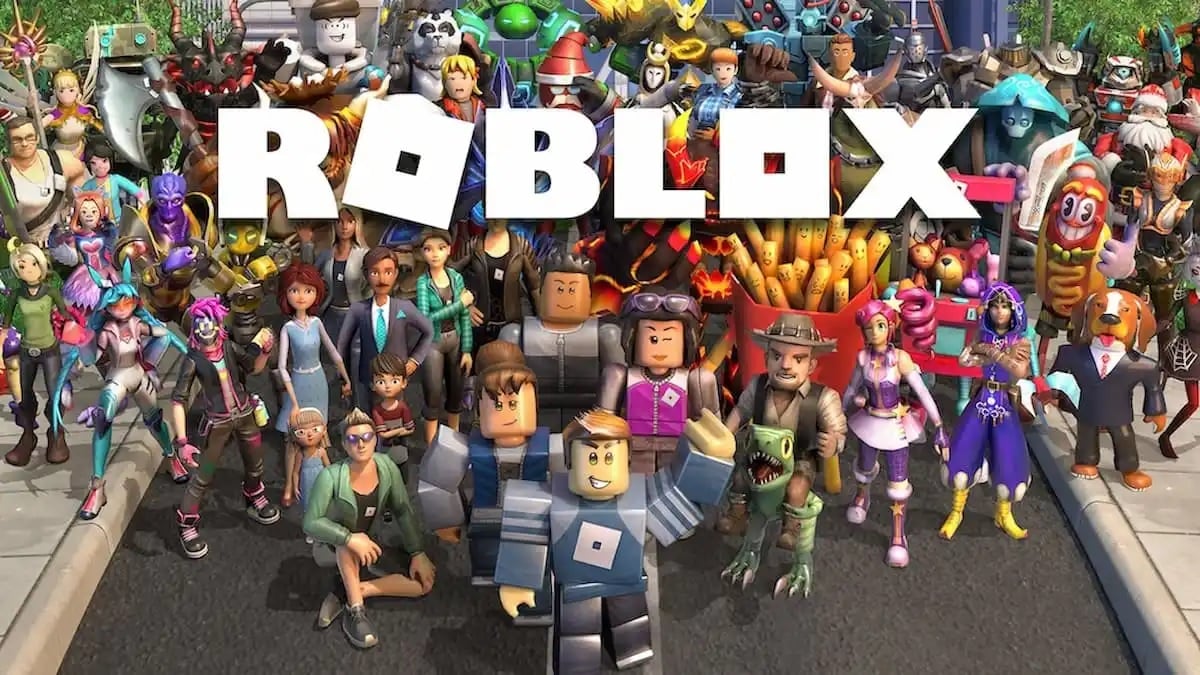
“Now Roblox GG” is not the official name of a separate Roblox game or a new Roblox platform. In practice, the phrase is commonly used when referring to Roblox on now.gg and the idea of playing Roblox online through cloud streaming.
The concept combines two recognizable names:
- Roblox — the user-generated gaming and creation platform.
- now.gg — a cloud-gaming service that streams supported games through the internet.
Now.gg’s own Roblox guide explains that users can access Roblox through its mobile cloud service without downloading the traditional game files to their device.
That makes the phrase attractive to users searching for ways to play Roblox online without downloading.
What Is Cloud Gaming?
Traditional gaming requires your device to perform most of the work.
You install the game, the device processes its graphics and gameplay, and the results appear on your screen.
Cloud gaming changes this model.
The game runs on remote infrastructure, while your device receives a video stream of the gameplay and sends your controls back to the service.
A simplified version looks like this:
Your device → Internet → Cloud server → Gameplay stream → Your screen
This means your computer or phone does not necessarily need to perform all of the heavy processing locally.
Now.gg describes its platform as a cloud gaming service in which games are processed through its cloud infrastructure and streamed to users.
How Roblox Works on Now.gg
The basic idea is straightforward.
Instead of downloading the Roblox application first, a player opens the Roblox page on now.gg and launches the available browser-based experience.
Now.gg’s published instructions describe a three-step process:
- Open the Roblox page on now.gg.
- Select “Play in Browser.”
- After the service loads, sign in with your Roblox account and start playing.
The exact interface can change over time, so players should follow the current instructions shown on the official now.gg page.
Why Play Roblox Through the Cloud?
The biggest advantage is convenience.
No Traditional Game Installation
Cloud streaming can eliminate the need to download a large local game installation.
This is especially useful when a device has limited storage.
Browser-Based Access
Now.gg is designed to let users launch supported games through a web browser. Its current Roblox pages advertise browser play without downloads.
Older Devices Can Become More Useful
Cloud gaming can reduce the importance of local gaming hardware because much of the processing takes place remotely.
That does not mean every old device will work perfectly. The browser, operating system, network connection, and cloud service requirements still matter.
Multiple Device Options
Now.gg says its service supports a range of devices, including Windows computers, Macs, Chromebooks, iPhones, iPads, and Android devices, subject to the platform’s requirements.
Roblox Is More Than a Single Game
Understanding Roblox itself is important.
Roblox is a platform containing a huge collection of user-created experiences. Players can explore different genres, socialize, customize avatars, and participate in experiences created by other members of the community.
That means playing Roblox through the cloud is not simply about accessing one fixed game.
The experience can change dramatically depending on what the player chooses to launch.
Now.gg’s current Roblox mini-games page lists experiences spanning role-playing, adventure, simulation, action, sports, strategy, and other categories.
How to Get Started
If you want to try the cloud-based approach, the process is relatively simple.
Step 1: Use the Official Now.gg Website
Start with the official now.gg service rather than an unfamiliar third-party page.
This reduces the risk of accidentally downloading unwanted software or entering account information into a suspicious website.
Step 2: Find Roblox
Use the site’s search function or navigate to its Roblox section.
Now.gg explains that games can be found using its website search bar or by browsing available categories and recommendations.
Step 3: Choose Browser Play
If the Roblox page offers the browser option, select Play in Browser.
Step 4: Sign In
If prompted, use your existing Roblox account credentials.
Avoid entering your Roblox password into unofficial pages claiming to provide free cloud access.
Step 5: Start Playing
Once the cloud session loads, choose your Roblox experience and begin playing.
Device and Browser Requirements
Cloud gaming still has technical requirements.
Now.gg’s published requirements document lists support for several operating systems, including Windows 7 or later, macOS 10.11.6 or later, ChromeOS, iPadOS 15 or later, iOS 15 or later, and Android 7 or later. Browser support varies by operating system.
The requirements can change, so users should check the current requirements before troubleshooting an older device.
The service also lists a minimum internet speed of 5 Mbps in its requirements documentation.
A faster and more stable connection can still be beneficial, particularly when several devices are sharing the same network.
Internet Quality Matters
Cloud gaming depends heavily on the network.
With a traditional installation, poor internet may affect online multiplayer but does not necessarily prevent the locally installed game from running.
With cloud gaming, the gameplay itself is being streamed.
That means problems such as:
- High latency
- Packet loss
- Wi-Fi interference
- Network congestion
- Unstable connections
can affect responsiveness.
A stable connection is therefore just as important as having a reasonably capable browser device.
How to Reduce Cloud Gaming Lag
If gameplay feels delayed or unstable, try the following:
Use a Stable Connection
A reliable Wi-Fi connection is generally preferable to an unstable connection.
Reduce Network Congestion
Pause large downloads, video streams, and other bandwidth-heavy activities when possible.
Move Closer to the Router
If Wi-Fi signal strength is poor, reducing the distance between the device and router may help.
Close Unnecessary Tabs
Browsers with many active tabs and applications running in the background can consume system resources.
Use a Supported Browser
Now.gg recommends using officially supported browsers for the best experience.
Cloud Gaming vs. Installing Roblox
Both approaches have advantages.
| Feature | Cloud Gaming | Local Installation |
|---|---|---|
| Game download | Usually unnecessary for cloud play | Required |
| Local storage | Lower requirement | More storage needed |
| Internet dependence | Very high | Mainly required for online features |
| Device processing | Much of it handled remotely | Mostly handled locally |
| Updates | Managed by the service | Installed on the device |
| Latency | Depends heavily on network | Usually lower for local processing |
| Browser access | Yes, where supported | No |
The right option depends on the device and circumstances.
If you have a powerful gaming PC and plenty of storage, local Roblox play may be perfectly convenient.
If you are using a Chromebook or another device where installing software is inconvenient, cloud access may be more attractive.
Can You Play Roblox on a Chromebook?
Cloud gaming can be particularly useful for Chromebook users.
Now.gg specifically describes browser-based cloud gaming as a way to access games on devices such as Chromebooks without installing the traditional client.
However, school-managed Chromebooks are different.
A school or organization may restrict gaming websites, browser permissions, accounts, or network traffic. Cloud gaming should not be used to bypass an institution’s technical or acceptable-use policies.
What About Phones and Tablets?
Mobile devices can benefit from cloud gaming because storage and processing power can be limited.
Now.gg states that its cloud platform supports smartphones and tablets among its supported device categories.
A browser-based experience can also reduce the need to maintain another large application locally.
However, touchscreen controls are not equally comfortable for every Roblox experience.
Games designed around keyboard, mouse, or controller input may feel better on a larger device or with supported peripherals.
Controller Support
For players who prefer physical controls, now.gg has published support for gamepads.
Its documentation states that supported cloud games can be played with controllers such as Xbox One controllers, PS4 controllers, Logitech devices, and Redgear controllers. Support can vary by game.
A controller can make certain Roblox experiences easier to control, particularly those involving movement, driving, sports, or action.
Voice and Microphone Features
Social interaction is an important part of Roblox, and cloud gaming does not necessarily eliminate that functionality.
Now.gg has published instructions for enabling microphone access in supported cloud games, including Roblox.
Players should still think carefully about privacy when using voice communication.
Parents may also want to review Roblox’s current communication and parental-control options before allowing younger children to use voice features.
Benefits of Now Roblox GG
The cloud approach has several practical advantages.
1. Less Local Storage
The game does not need to occupy the same amount of local storage as a conventional installation.
2. Convenient Browser Access
Players can launch supported experiences from a browser.
3. Useful for Lower-Spec Devices
Cloud processing can make gaming possible on hardware that would otherwise struggle with certain workloads.
4. Easier Device Switching
Because Roblox accounts are tied to the user’s account and the platform supports cross-device play, players can move between compatible devices while retaining their account progress where the experience supports it. Now.gg specifically highlights this benefit in its Roblox guide.
5. No Traditional Installation Process
Players can avoid the usual download-and-install process for supported cloud experiences.
Limitations You Should Know
Cloud gaming also has disadvantages.
Internet Is Essential
Without a suitable connection, the experience can become difficult or impossible to use.
Latency Can Occur
Even a fast connection can experience some delay because commands must travel between the device and cloud servers.
Not Every Roblox Experience Is Guaranteed
Cloud platforms have their own catalogs and technical compatibility considerations. Availability can change.
Touch Controls May Be Limited
Some experiences are designed with keyboard, mouse, or controller input in mind.
Battery and Data Usage Still Matter
Streaming video continuously can consume battery and network data, particularly on mobile connections.
Is Now Roblox GG Free?
Now.gg describes its cloud gaming service as free in its general platform information, but users should always check the current conditions and the specific game page because service models and availability can change.
Free access does not necessarily mean every game, feature, or cloud configuration will always be available under identical conditions.
Safety Tips for Roblox Cloud Gaming
Cloud gaming does not remove the need for basic account security.
Use the Official Service
Access Roblox through the official Roblox platform or an established cloud service such as now.gg rather than random websites.
Protect Your Password
Never provide your Roblox password to a website promising free Robux, account upgrades, or special access.
Be Careful With Links
Avoid suspicious advertisements, pop-ups, and pages that imitate Roblox login screens.
Enable Account Security Features
Use Roblox’s current security and parental-control options where appropriate.
Follow School or Workplace Rules
If a network blocks gaming sites, do not assume that cloud gaming gives you permission to bypass those restrictions.
Is Now Roblox GG the Future of Gaming?
Cloud gaming is certainly an important part of the industry’s evolution, but it is unlikely to completely replace local gaming in the immediate future.
Instead, the two models can coexist.
Local gaming offers excellent responsiveness and does not require continuous gameplay streaming.
Cloud gaming offers convenience, accessibility, and reduced dependence on local hardware.
As internet infrastructure improves, cloud gaming can become increasingly practical for more users.
The Future of Roblox and Cloud Gaming
The combination of Roblox’s user-generated ecosystem and cloud delivery is particularly interesting.
Roblox already emphasizes accessibility across devices, while cloud gaming can potentially make that ecosystem easier to reach from hardware that has limited local capabilities.
Future improvements could include:
- Lower streaming latency
- Better controller support
- Improved mobile controls
- Wider device compatibility
- More cloud-hosted Roblox experiences
- Better performance on lower-spec hardware
- Improved social and communication tools
However, the quality of the experience will continue to depend on network infrastructure and the capabilities of the cloud provider.
FAQ
What is Now Roblox GG?
Now Roblox GG is commonly used as a search term for playing Roblox through now.gg’s cloud gaming service. It is not the official name of a separate Roblox game.
Can I play Roblox without downloading it?
Now.gg provides a browser-based Roblox option that allows users to play without a traditional local installation, where the service and experience are currently available.
Does Roblox run directly in the cloud?
With a cloud gaming service such as now.gg, the game is processed remotely and streamed to your browser rather than relying entirely on your local device.
Can I use now.gg on a Chromebook?
Now.gg lists ChromeOS among its supported platforms, subject to its current browser and system requirements.
Does cloud gaming eliminate lag?
No. Cloud gaming can reduce the hardware burden on a local device, but it cannot eliminate network latency. A stable, low-latency connection remains important.
Can I use a controller?
Now.gg supports gamepads for compatible cloud games, although controller functionality can vary by title.
Final Thoughts
Now Roblox GG represents a broader shift in how players can access Roblox: instead of thinking only about downloads, installations, and local hardware, cloud gaming makes browser-based access part of the equation.
The biggest attraction is convenience. A compatible device with a browser and reliable internet connection can become a gateway to Roblox without requiring the same local installation process.
At the same time, cloud gaming has real limitations. Internet quality matters, latency can affect responsiveness, device controls are not always ideal, and availability can vary between services and experiences.
For players with limited storage, older compatible devices, or a preference for browser-based gaming, Roblox on now.gg can be a useful alternative. The important thing is to use the official service, protect your account, follow network rules, and understand that cloud gaming complements rather than completely replaces traditional game installations.
As cloud infrastructure continues to improve, the idea behind “play now” gaming is likely to become increasingly familiar: less time installing, more time playing, and greater flexibility in where gaming can happen.